We Have A New Section For The Page Editor!!!

  1. So, I had a bit of spare dev-time prior to going on annual leave for a week so I thought what better way to spend it than creating a whole new section that VB Media customers can add to their website.

    I mean, who doesn't love a going through code that's more than five minutes old to work out exactly how it works, because you've forgotten exactly how you've built it?

    Well as it turns out, it was built pretty well (even if I do say so myself). A lot of the additions I made, just worked - I cannot describe the sense of inner pride at my past-self when this happens.

    Some things, however, worked in a completely new way so I did have to do some digging to find where to inject this new super-fancy code.

    The result, a new brand new section for you lovely VB Media people.

    Anyway, enough babbling, what about this section...
Introducing The 'Call To Action Selector'

  1. So Slider's aren't great. In a previous article Sliders in 2023 we go through why sliders are not currently seen as best-practice in terms of website content.

    However, the all new 'Call To Action Selector' bridges the potential gap sliders will leave if you remove them from your website.

  1. The Call To Action Selector
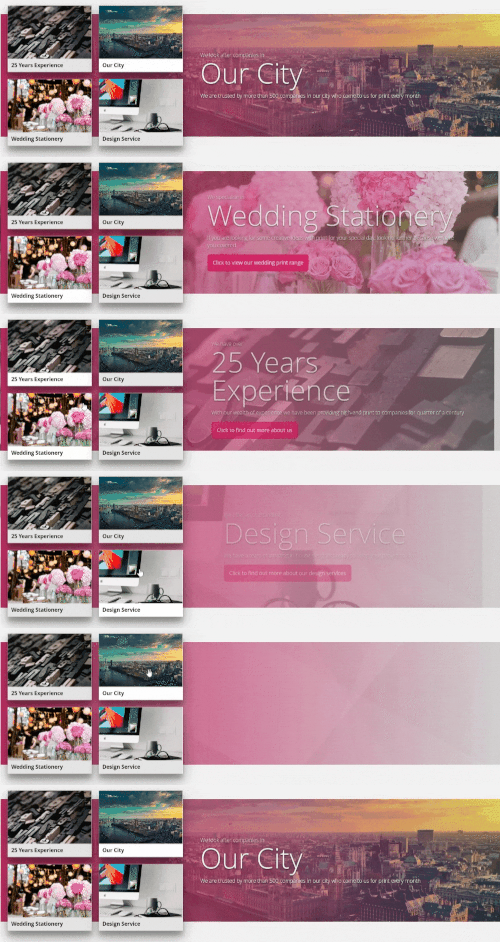
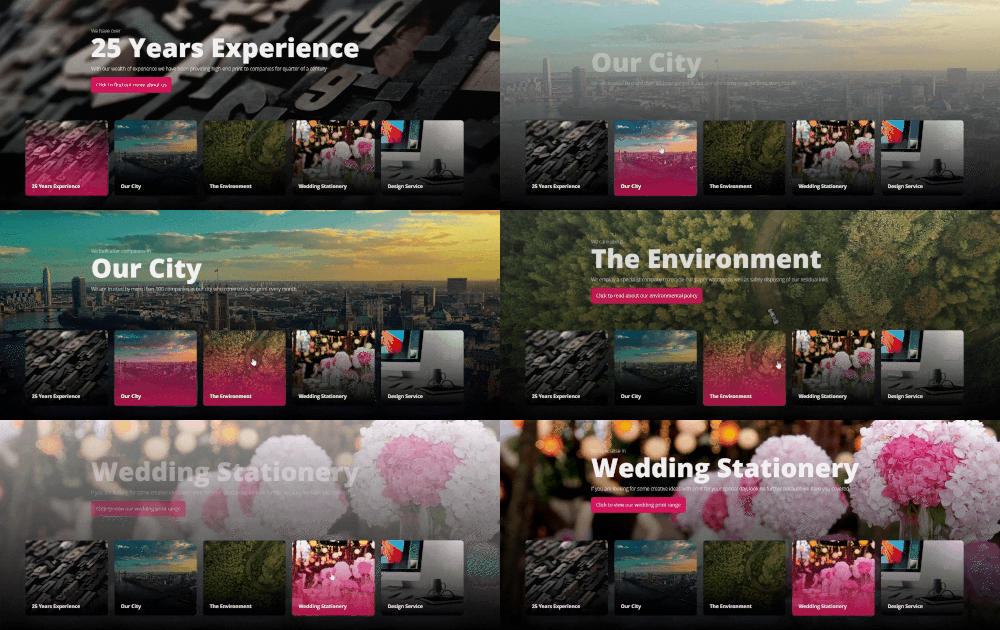
  1. The Call To Action Selectors allow you to have a number of selectable items that, when clicked, will show some content for that item as well as changing the background image.

    Each item effectively displays a Call To Action, however, unlike a Slider, each item always has a presence on screen.

    Another reason these are better than a traditional slider is that the content is HTML and not a flat image. This means that the content is picked up by search engines and it is easily editable without the need to utilise a separate image editing package and then upload the new version.

Super Slick Transitions To Help You Stand Out

  1. One of the nice things about the image and text being separate elements is that we are now able to apply transition effects to them... independently.

  1. Call To Action Selector Transitions
  1. You can select from a range of transitions for both the image and the text.

    The same transition is applied to each item, so the images will always have the same transition and the text elements will always have the same transition.

    This is deliberate so that there wasn't a different transition for every slide that was clicked on, preventing visual-abuse on the user and transition management issues for you guys.

    •  Call To Action Selector Options
    • Call To Action Selector Options
    •  Call To Action Selector Auto Play
    • Call To Action Selector Auto Play
  2. You can also set transition to play automatically,

    This will cause them to auto-rotate through each of the items at a set interval, similar to how slider would work.

Some New Settings

  1. We have also added some new settings to increase design options for this section.

    You can now add a 'Gradient Overlay' to an image. What this will do is add a selection of the current gradients over the top of the image and blend from your chosen colour to transparent, revealing the image behind,

    This can create some nice subtle (and some not so subtle) effects as well as help maintain contrast with any text in front of an image.

    I will hopefully be looking to roll this out to other sections going forward, as well.

    •  Call To Action Selector Overlays
    • Call To Action Selector Overlays
  1. There are some other new settings such as separate settings for the 'hover' and 'selected' states of the selectable items.

Ready Made Sections, Just For You x

  1. As with the other sections, we have created some designs that you can add to get you going.

    •  Call To Action Selector
    • Call To Action Selector
  2. Feel free to add one and change some settings to test it out - you can always delete it when you are done.

    The content has just been added to try and provide some inspiration as to what you can use these for but I am really excited to see what can be done with as we do have some extremely creative customers who design some beautiful looking sites.

    It has been extensively tested but if you run into any unusual behaviour, please do let us know.

    Happy creating.